
The community
Your partners' sessions, as they happen.
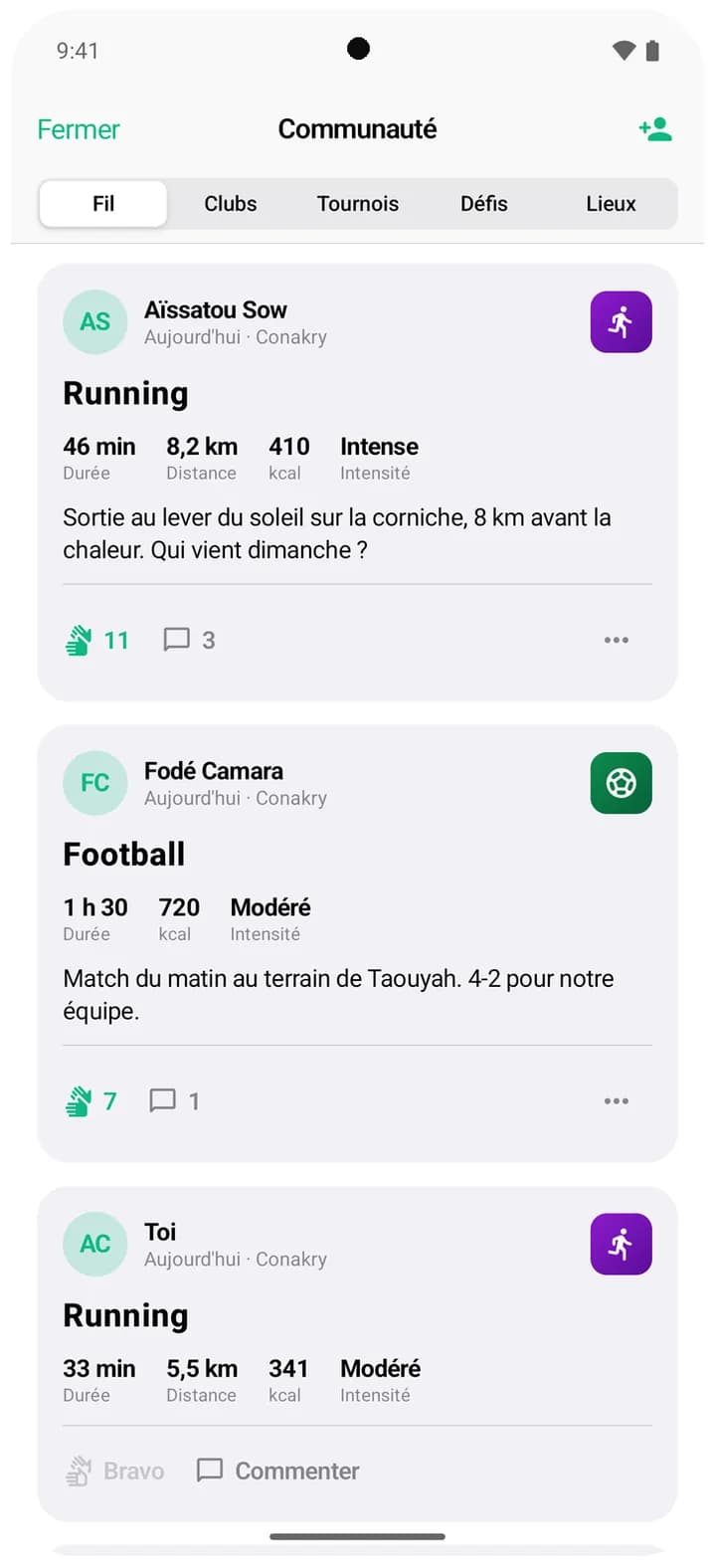
A sunrise run along the corniche, a match in Taouyah: the feed shows what the athletes you know are up to. A cheer, a comment, and everyone gets motivated.
Aïssatou
Running · today, Conakry
- Time
- 46 min
- Distance
- 8.2 km
- Intensity
- Hard
Sunrise run on the corniche, 8 km before the heat. Who's in on Sunday?
Kadiatou I'm in for Sunday, 6:30 am same place?
- circles make up your feed: shared conversations, matches, activities and clubs.
- 4circles make up your feed: shared conversations, matches, activities and clubs.
- to cheer on a session.
- 1 tapto cheer on a session.
- per photo in data-saving mode.
- 480 pxper photo in data-saving mode.
01
Only people you know
No strangers in your feed: you see the sessions of athletes you chat with, matched with, or met in an activity or a club.
- A feed that stays personal
- Nothing but sports sessions
- Report or block an author
Who appears in your feed
Your conversations
Your matches
Your shared activities
Your clubs
02
Every session tells a story
Duration, distance, intensity, photo and a few words: each card sums up the session. A cheer or a comment, and your partner is notified.
- Cheers and comments
- Notification for every reaction
- Your session shared as an image card
03
You decide what you share
Sharing your sessions is set in Settings. Sessions imported from your watch follow the same setting.
- Sharing can be switched on or off
- Lighter photos in data-saving mode
- Full-size photo loaded only when you tap it
Settings
- Yes
Share my sessions
- Yes
Data saver
- No
Ramadan mode
Good to know
- Who can see my sessions?
- Athletes you have a link with: a conversation, a match, or an activity or club in common. You can stop sharing your sessions in Settings.
- Do sessions from my watch show up?
- Yes, sessions imported from Apple Health or Health Connect are shared like the others, unless you turn sharing off.
- Can I report a post?
- Yes, from the card's menu. You can also block its author.
- Does the feed use a lot of data?
- With data saver on, photos are shrunk and the full-size version only loads if you tap it.